App Store → Slack workflow

Send App Store reviews to Slack before issues become trends

Connect an iOS or Mac App Store listing to a Slack channel and route low-star, keyword, and locale-specific feedback to the right team.

No credit card required · Setup in minutes · From $5 per Flow/month, billed annually

iOS + Mac App Store → Slack

New review alert

Delivered

App Store review alert

“The latest update made the app much faster.”

5 stars · iOS · #app-feedback

DestinationSlack · #app-feedback
App Store review fields
Low-star and keyword filters
Slack channel delivery
iOS + Mac App Store → SlackSlack · Zendesk · Freshdesk · Teams · Email14-day trial · No card required

Why teams use ReviewBot

A tested App Store to Slack setup

Use this workflow page when the search is specifically about sending App Store reviews into Slack.

1

Choose the app

Connect the App Store listing your team owns.

2

Control the channel

Route only the rating, locale, and keyword matches that belong in Slack.

3

Respond with context

Keep the original review link and review details in the alert.

How it works

Create the App Store → Slack Flow

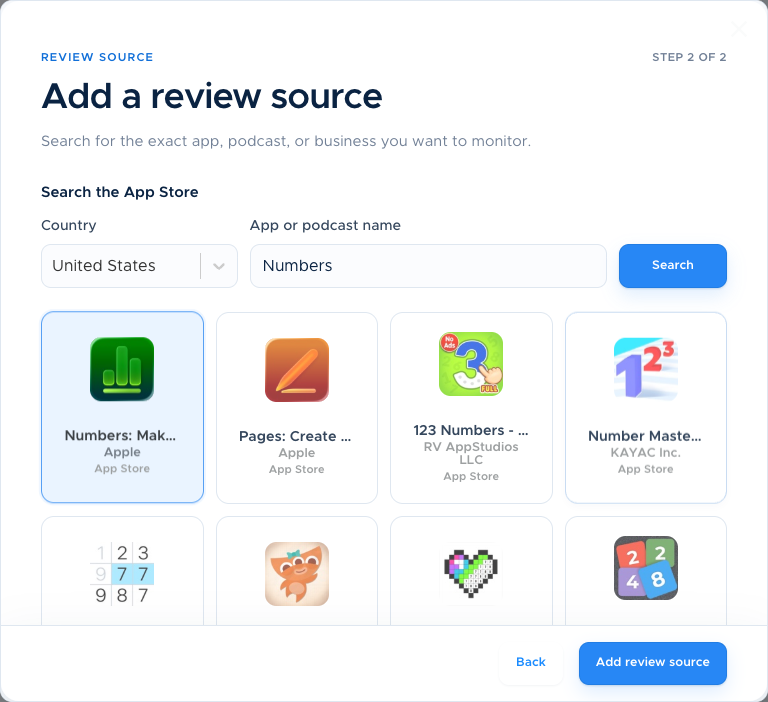
A focused setup guide for teams that want App Store review alerts in Slack.

  1. 1

    Choose the App Store app

    Select the listing and the review markets to monitor.

  2. 2

    Choose Slack and filters

    Authorize the workspace, select the channel, and set alert rules.

  3. 3

    Test and activate

    Send a test alert, confirm delivery, and turn on the Flow.

ReviewBot · Create FlowLive

Create Flow

  1. Choose a task
  2. Choose a review page
  3. Choose an integration
  4. 4Set the rules
  5. 5Finalize

Set the rules

Route only actionable reviews

SlackSlack

Review source

iOS + Mac App Store → Slack

Delivery

Real-time

Star rating2 selected
12345
crashbillinglogin+ keyword
✓ Test alert deliveredTurn on Flow →

Product detail

Built for the next action, not another dashboard tab

Each feature is designed to move a review from public feedback to a clear owner and response.

App Store source

Monitor iOS and Mac listings from a dedicated Flow.

Slack destination

Authorize the workspace and choose a channel.

Review filters

Use stars, keywords, locales, and translation settings.

Test before activation

Send a test alert, verify the channel, then turn on the Flow.

ReviewBot · All ReviewsLive

Review inbox

All reviews

iOS + Mac App Store → Slack1–2 stars
App Store

Checkout is working again

★★★★★

The latest update fixed the payment issue. Thank you!

Acme Mobile · United States · iOS 18.1 · v4.8.2

Resolved
Google Play

Crash on the orders screen

★★★★

The app closes whenever I open my recent orders.

Acme Mobile · Germany · Android 15 · v12.4

Needs reply
App Store

Please add dark mode

★★★★

Love the app. Dark mode would make it perfect.

Acme Teams · United Kingdom · iOS 18.0 · v3.2.1

Feature request
248 reviews · updated just nowOpen original review →

Product preview with representative demo data, modeled on the ReviewBot dashboard.

Simple pricing

Start small. Pay only for active Flows.

Every account includes a 14-day full-access trial. After that, the Basic plan is $5 per active Flow per month, billed annually.

  • App Store and Google Play monitoring
  • Real-time alerts and scheduled reports
  • Star, locale, and keyword filters
  • Slack and helpdesk integrations

Questions before you start?

Can I send only negative App Store reviews to Slack?

Yes. Configure the star and keyword rules for the team channel.

Can one account monitor several App Store apps?

Yes. Use separate Flows for apps, channels, or policies.

Where do I start?

Start the trial, create a Flow, authorize Slack, send a test alert, and activate the workflow.

Ready to turn the next review into action?

Create your first monitoring Flow today. No credit card required.

Start 14-day free trial