Keep each location visible
Route each location’s reviews to the team responsible for that customer experience.

Google review monitoring
Bring reviews from the locations you manage into Slack, Zendesk, or email. Spot feedback that needs attention and reply from the workflow your team already uses.
14 days free · No credit card required
Already use ReviewBot? Connect your business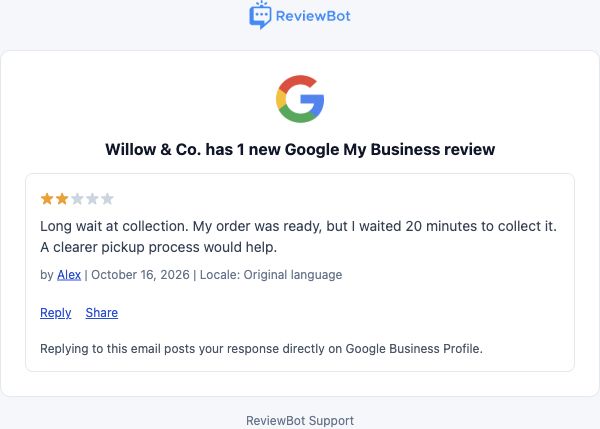
Route each location’s reviews to the team responsible for that customer experience.
Send low-star reviews to support, or follow every rating in a shared channel.
Keep the customer’s words and rating together while your team decides how to help.
Set up your first Flow
Use a Google account with access to an eligible business location. ReviewBot handles the API connection; customers do not submit their own Google API application.
Full setup guideStart a new Review alerts Flow and choose Google Business Profile. Sign in with the Google account that owns or manages the business.
Select the location you want to monitor and the star ratings your team needs to see. Each location and destination pair uses one Flow.
Choose a connected destination, turn on the Flow, and check delivery. Enable replies when your team is ready to respond.
Reply to Google reviews
Enable Reply-to-Review on an eligible Flow. Write a response in Slack, Zendesk, email, or the ReviewBot dashboard, and submit it to Google using your connected business account.
Explore reply workflowsGoogle may review a response before it appears publicly. ReviewBot shows its status. Reviews with an existing reply are left intact; edit that response in Google Business Profile.
Replies need the matching Google location, permission to respond, and an active Reply-to-Review add-on.
Flow-based pricing
One Flow connects one Google Business Profile location to one destination. Add another Flow for another location or team.
Google Business Profile reviews arrive in their original language. Scheduled rating reports and automatic translation are not available for this source.
See plans and add-onsYou must own or manage the location with the Google account you connect. This integration uses Google’s official Business Profile APIs and is not a way to monitor a competitor’s location.
No. Creating a Flow does not bulk-send historical reviews. ReviewBot delivers matching new and updated reviews as they are collected after setup.
No. ReviewBot maintains the approved API connection. You sign in with Google, grant access, and choose a location that your account can manage.
Yes. Create a separate Flow for each location and destination pair. You can reuse a connected Google account when it has access to those locations.
Those conversations receive review alerts. They do not publish Google review replies. Use a compatible Slack, Zendesk, or email Flow and the ReviewBot dashboard for eligible replies.
Check that you chose the Google account that owns or manages the business and granted the requested access. See the setup guide for connection and eligibility checks.