Give agents the original feedback
Include the rating, review text, locale, and source link when ReviewBot creates the support item.
Zendesk integration
Send selected App Store and Google Play reviews to Zendesk with the rating, review text, locale, and source link included.
14 days free · No credit card required
View ReviewBot in Zendesk Marketplace Zendesk · a review becomes a support ticket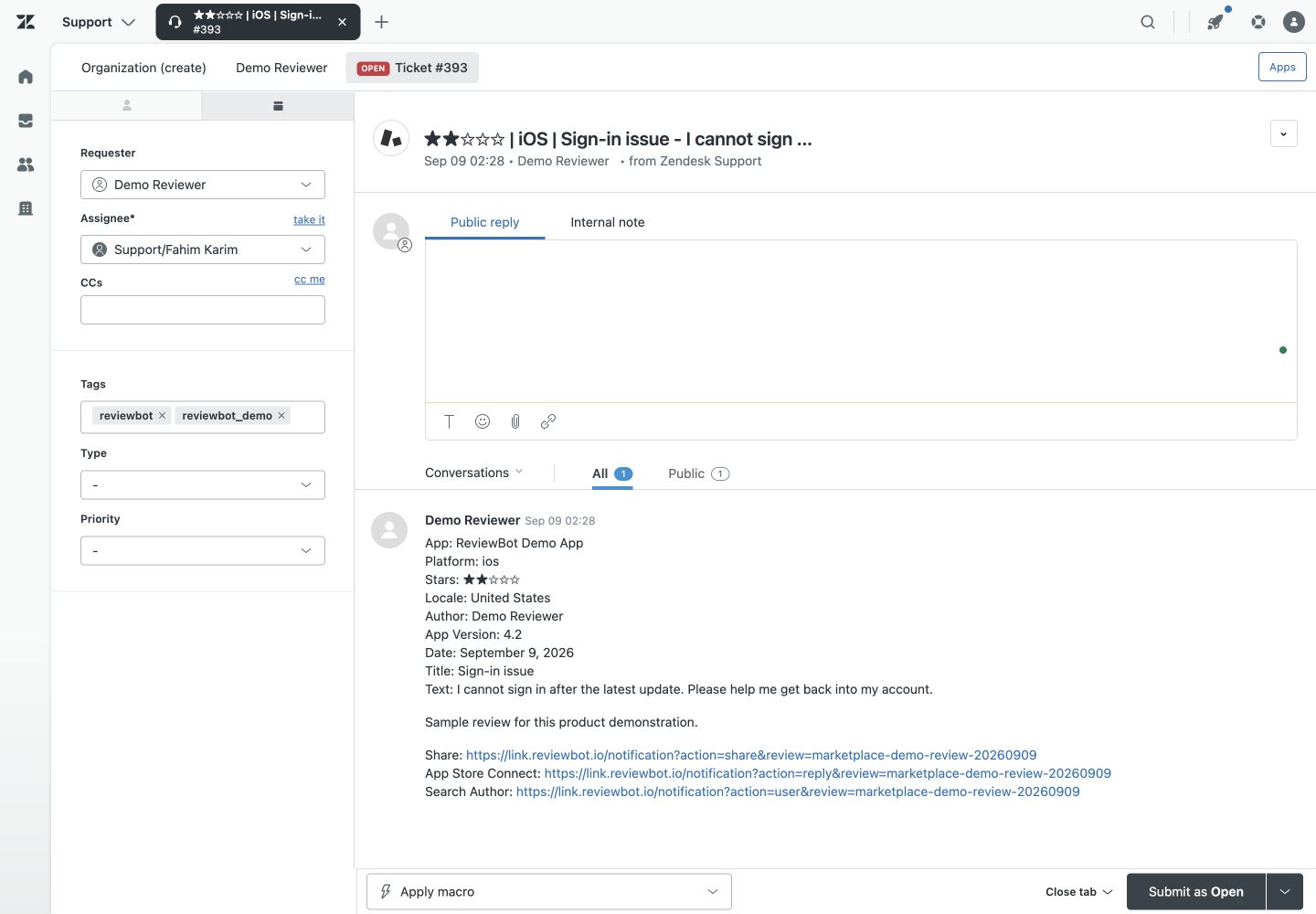
Include the rating, review text, locale, and source link when ReviewBot creates the support item.
Use star-rating rules for billing, access, crash, and feature requests.
Add Reply-to-Review for $10/month per Flow, billed annually, to answer eligible App Store and Google Play reviews from Zendesk.
How it works
Select the App Store or Google Play listing that support owns.
Filter by rating and locale.
Enter the Zendesk subdomain, complete authorization, select the connection, and save. Check setup delivery, then a new matching review.

Daylight · Review notifications
1–2 stars · United States
Your support team
Made for your workflow
Start with one listing and one destination. Add another Flow when you need a different route.
Compare plans and optionsSend only matching ratings and locales to Zendesk.
Enable Reply-to-Review for $10/month per Flow, billed annually, to answer supported App Store and Google Play reviews directly from Zendesk.
Use distinct Flows for different apps, brands, queues, or escalation rules.
Use reports for rating changes, then read review alerts to identify recurring issues manually.
Simple, flexible pricing
One store listing, one destination. An iOS app and an Android app sent to the same channel use two Flows.
Weekly reports, global coverage, translation, and replies are optional paid add-ons.
See all pricing and add-onsCreate Flows for supported App Store and Google Play sources, then choose which ratings and locales should reach Zendesk.
Yes. The Reply-to-Review add-on costs $10/month per enabled Flow, billed annually, and supports direct replies for eligible App Store and Google Play accounts.
Yes. Use star and locale rules so only the feedback the queue owns becomes a support event.
ReviewBot includes source context and direct links where the connected review source provides them.
Yes. Choose Freshdesk as the destination when you create a compatible Flow.
Evaluating your options? Compare ReviewBot with Appbot, or read the setup guide for this workflow.
Plan the next step: configure negative-review alerts, assign review follow-up, or use a worked weekly report example.
Create your first Flow. Try every feature free for 14 days.
Start free trial